Eye Color Simulator.
Discover a different perspective on your eyes. Explore blue, green, honey and gray shades using your own photograph.
TRY THE SIMULATOR ↓ THE IRIS EDITION
Explore Your Iris.
Upload a clear, front-facing photograph of your full face. The simulator detects your eyes and lets you preview different iris colors while retaining visible details from your original photo.
Upload your photo to explore different eye color shades.
Create Your Preview
One photograph. Multiple perspectives. Explore different shades in seconds.
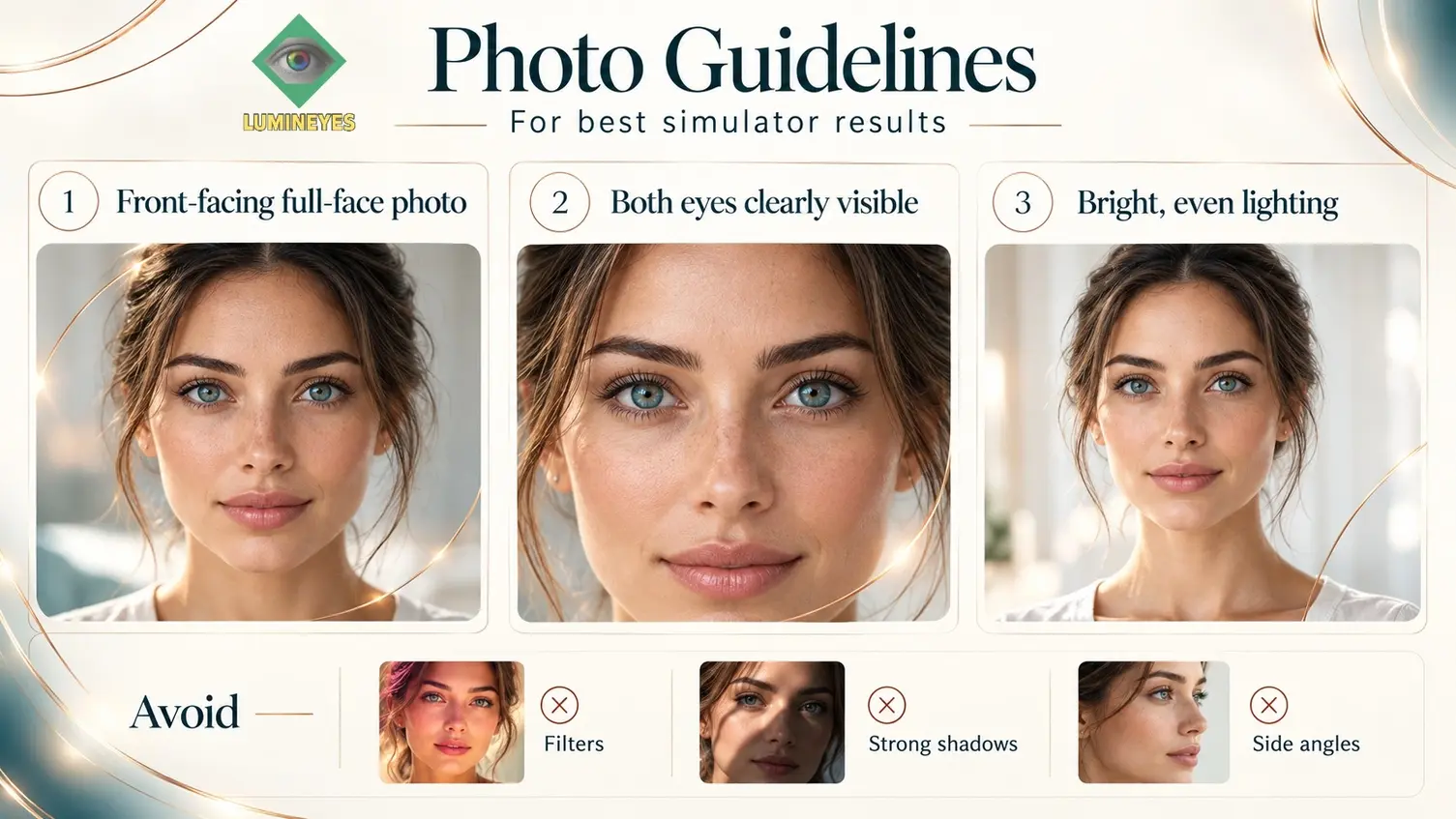
Full face · Both eyes visible · Bright, even lighting · No filters
Important: This is a digital color simulation, not a prediction or guarantee of any medical treatment result.
© 2026 Mustafa Mete, MD — MyLumineyes™. All rights reserved.
Your Natural Eye Color. A Closer Look.
You've explored new shades in the simulator. Now discover the color characteristics already visible in your iris. Upload an eye photograph to explore dominant tones and subtle variations with the MyLumineyes Iris Color Analyzer.
EXPLORE IRIS COLOR ANALYZER Photo-based educational analysis · Not a clinical diagnosisOne Good Photo Makes the Difference.
For accurate eye detection, choose a well-lit photograph showing your full face, looking directly at the camera, with both eyes clearly visible. Avoid strong shadows, filters and side-angle photographs.
Upload
Choose a clear full-face photograph with both eyes unobstructed.
Explore
Select blue, green, honey or gray and adjust the visual effect.
Compare
View your original eye color, inspect the magnified preview or save your image.
The Science of Eye Color.
The appearance of human eye color is influenced by iris pigmentation, stromal structure and the interaction of light with iris tissue. Every iris has its own patterns, textures and color distribution.
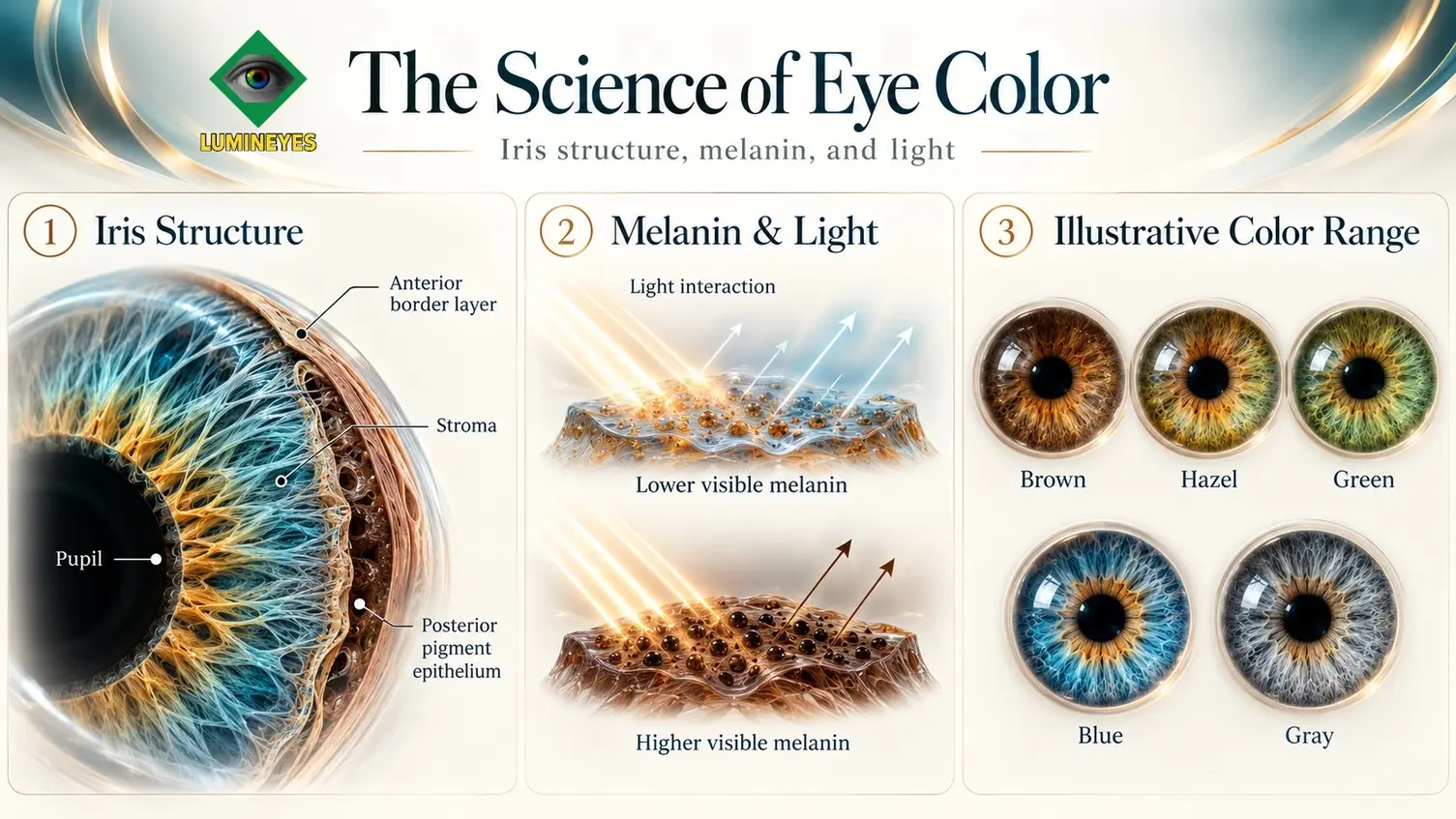
The simulator changes the visual appearance of eye color in a photograph. It does not measure iris melanin density, determine treatment suitability or predict biological response. For clinical information, explore the MyLumineyes laser iris depigmentation guide .
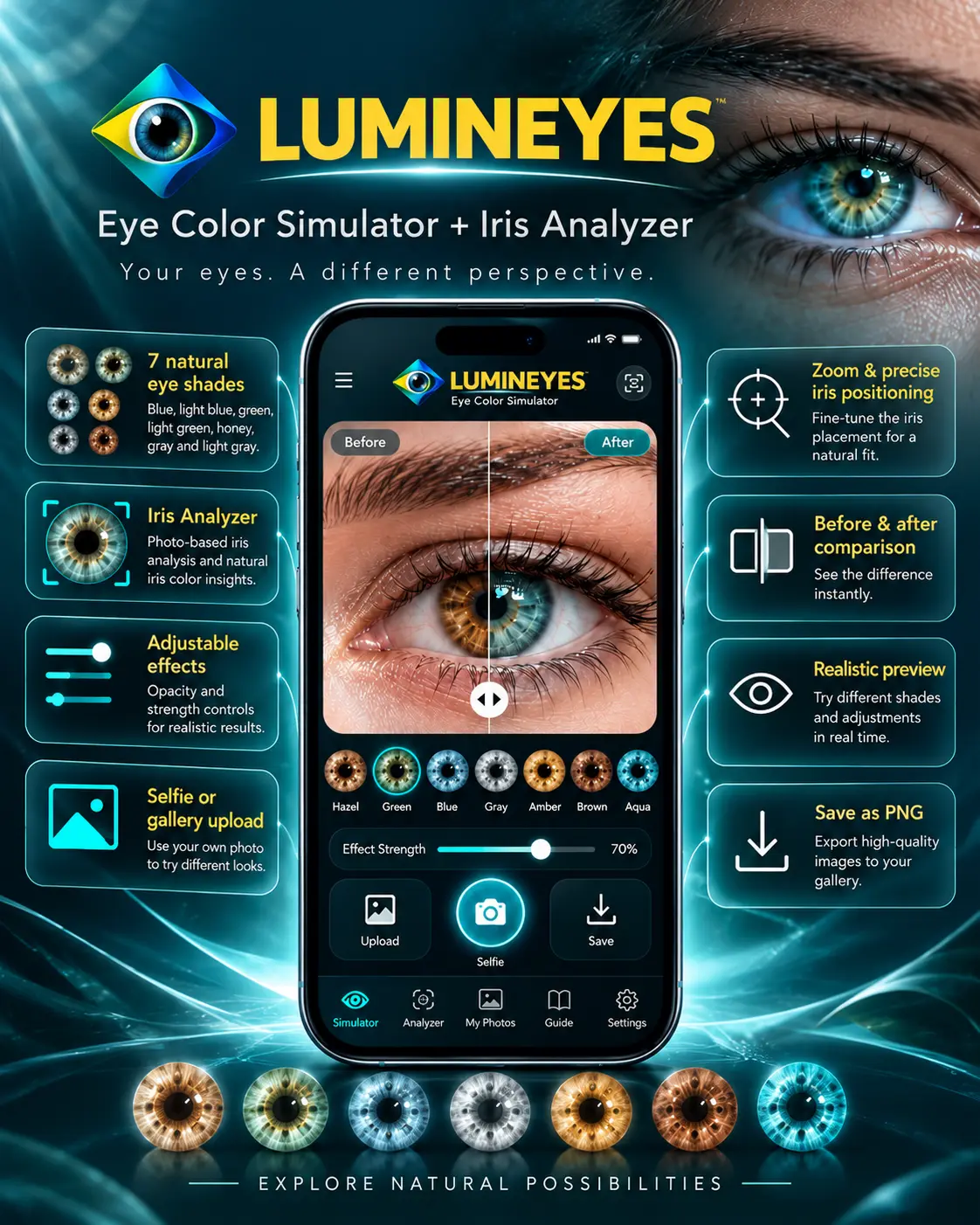
Eye Color Simulator + Iris Analyzer
Discover your eyes from a different perspective. Explore seven natural eye color shades, analyze visible iris tones from your own photograph, and create personalized color previews.
Eye Color Simulator FAQ
How does the eye color simulator work?
The simulator uses facial landmarks to locate the irises in a photograph. It applies a digital color effect within the visible iris regions to create a visual preview.
What kind of photo should I upload?
Use a sharp, front-facing full-face photograph with both eyes visible. Bright, even lighting is recommended. Avoid filters, sunglasses, strong shadows and extreme side angles.
Can this simulator predict my final eye color after laser treatment?
No. The simulator is a visual tool only. Actual clinical outcomes depend on individual anatomy, pigmentation and biological treatment response. Digital color previews cannot establish a clinical outcome.
Beyond Simulation. Individual Evaluation.
Curious about the clinical approach to eye color change? Learn about individual assessment, suitability and ophthalmic evaluation through our medical team.
REQUEST MEDICAL EVALUATION →